Redsprint CellxCell for Mac Get it free

FreeCSV editor for Mac

Edit CSV files on your Mac
without wrecking them

Opened an export and lost the zeros off every barcode? CellxCell shows each cell exactly as the file wrote it. When you save, it writes the rows you changed and copies every other row back byte for byte.

Free · 5.0 MBDownload for Mac

macOS 15 or later · No account · Nothing to buy inside

  • 1,200,000 rows, open in 31 ms
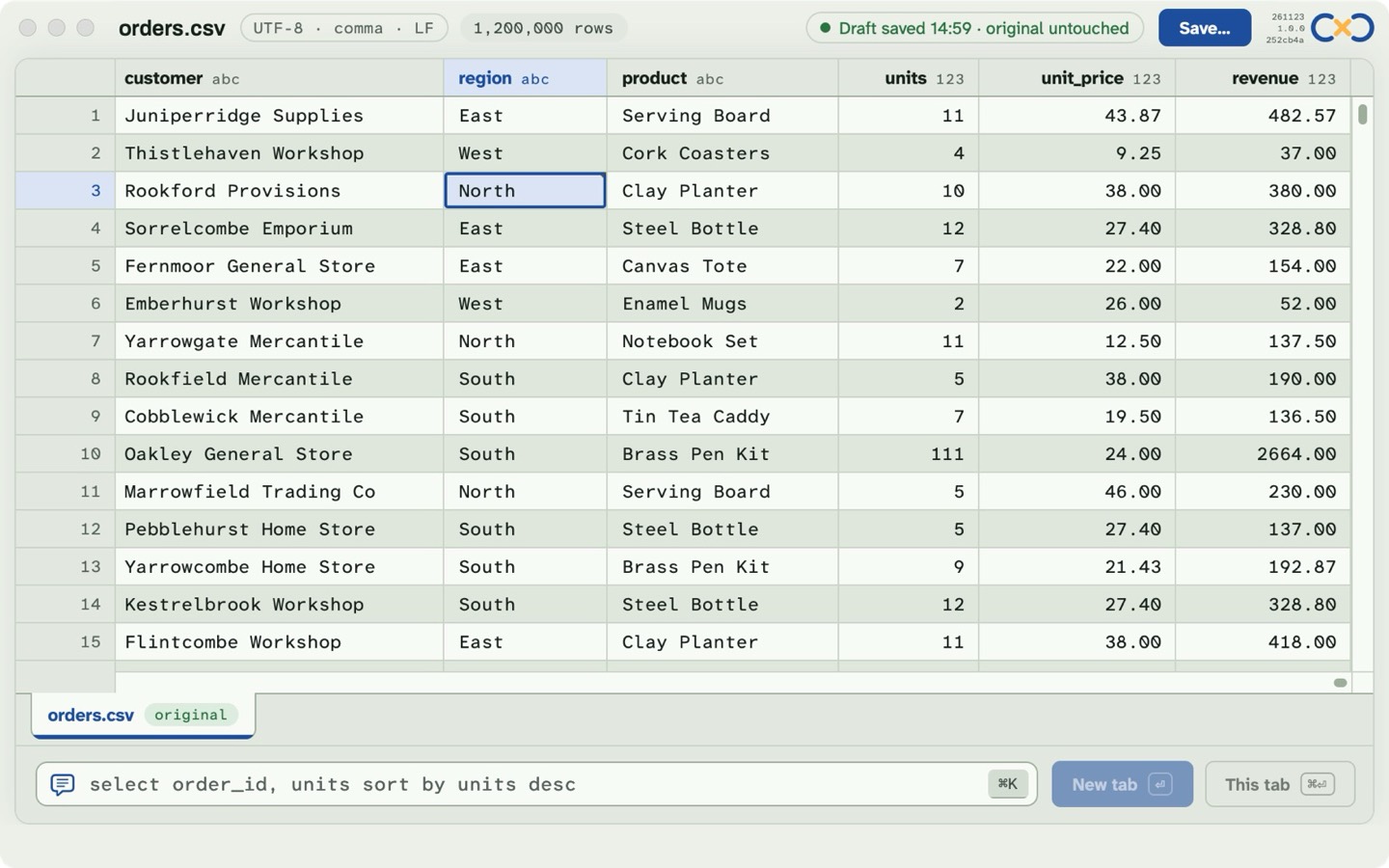
  • Draft saved, original untouched
CellxCell window with orders.csv open: 1,200,000 rows, one cell edited to North, and a pill that reads Draft saved, original untouched

Measured on an Apple silicon Mac with a made-up orders file.

One row, two apps

What does Excel do to your CSV?

Here's a row from a shop's order export. Flip between the apps and watch the cells.

Open it with
orders.csv on diskUTF-8 · comma
sku,zip,customer,shipped
00400017112233445566,02134,Zoë Brontë,2025-03-04
skuabc
zipabc
customerabc
shippeddate
4.00017E+1700400017112233445566
213402134
Zoë BrontëZoë Brontë
3/4/20252025-03-04
Scientific notation. Only 15 digits survive.As written
The leading zero is gone.As written
UTF-8 read as the wrong encoding.As written
Turned into a date, saved in your Mac's format.As written

4 of 4 cells changed before you typed a thing.0 of 4 changed. Press ⌘S and this row goes back to disk exactly as it came.

4.7M views on forum questions about this

Does your CSV open as one long column?

That happens when the file uses semicolons or tabs and your spreadsheet expects commas. CellxCell reads the start of the file and works out the separator itself: comma, semicolon, tab or pipe. The title bar shows what it found, with the encoding and the line endings.
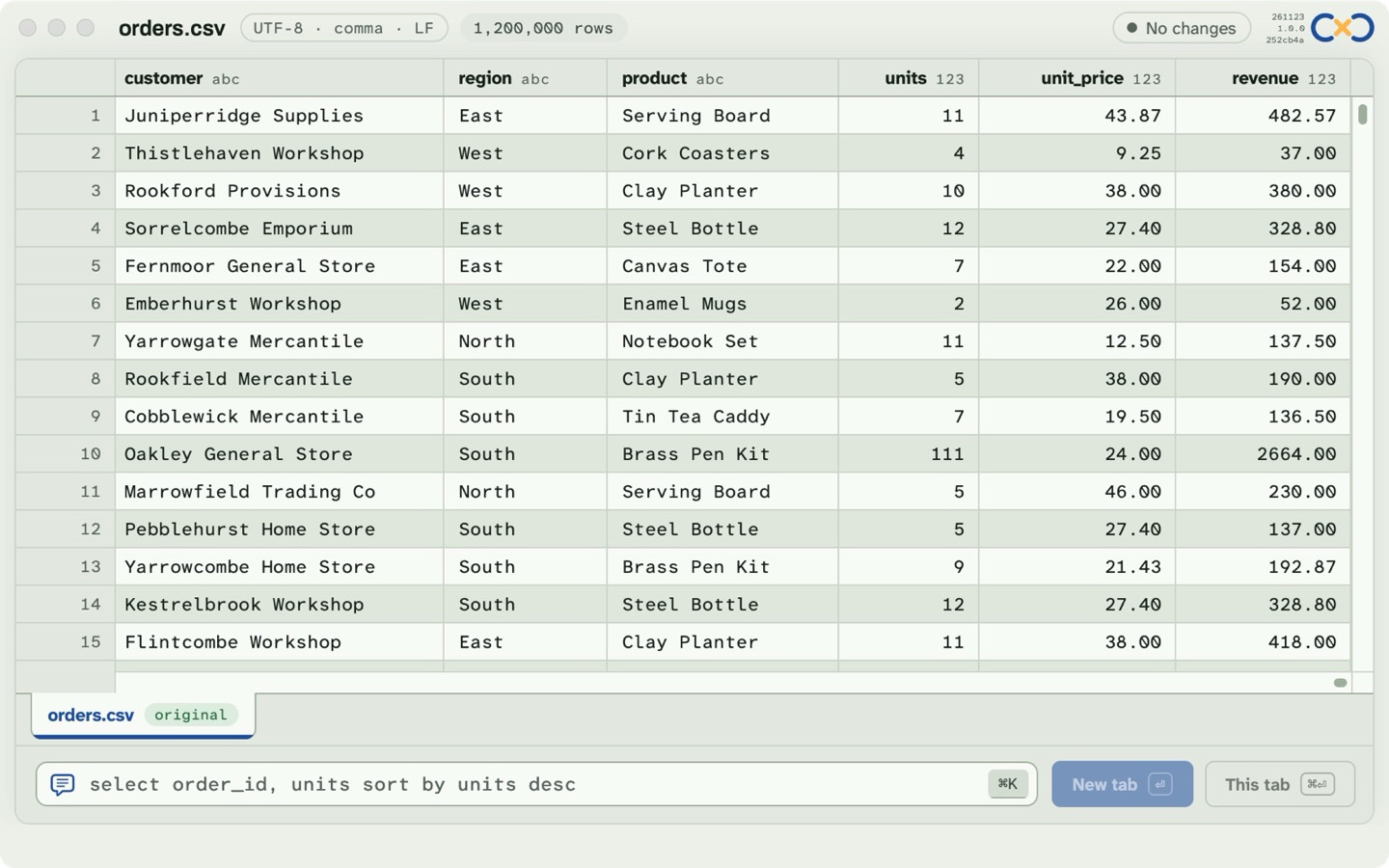
orders.csv open in CellxCell in proper columns, with UTF-8, comma and LF shown in the title bar

2.6M views on forum questions about this

Did one small edit change the whole file?

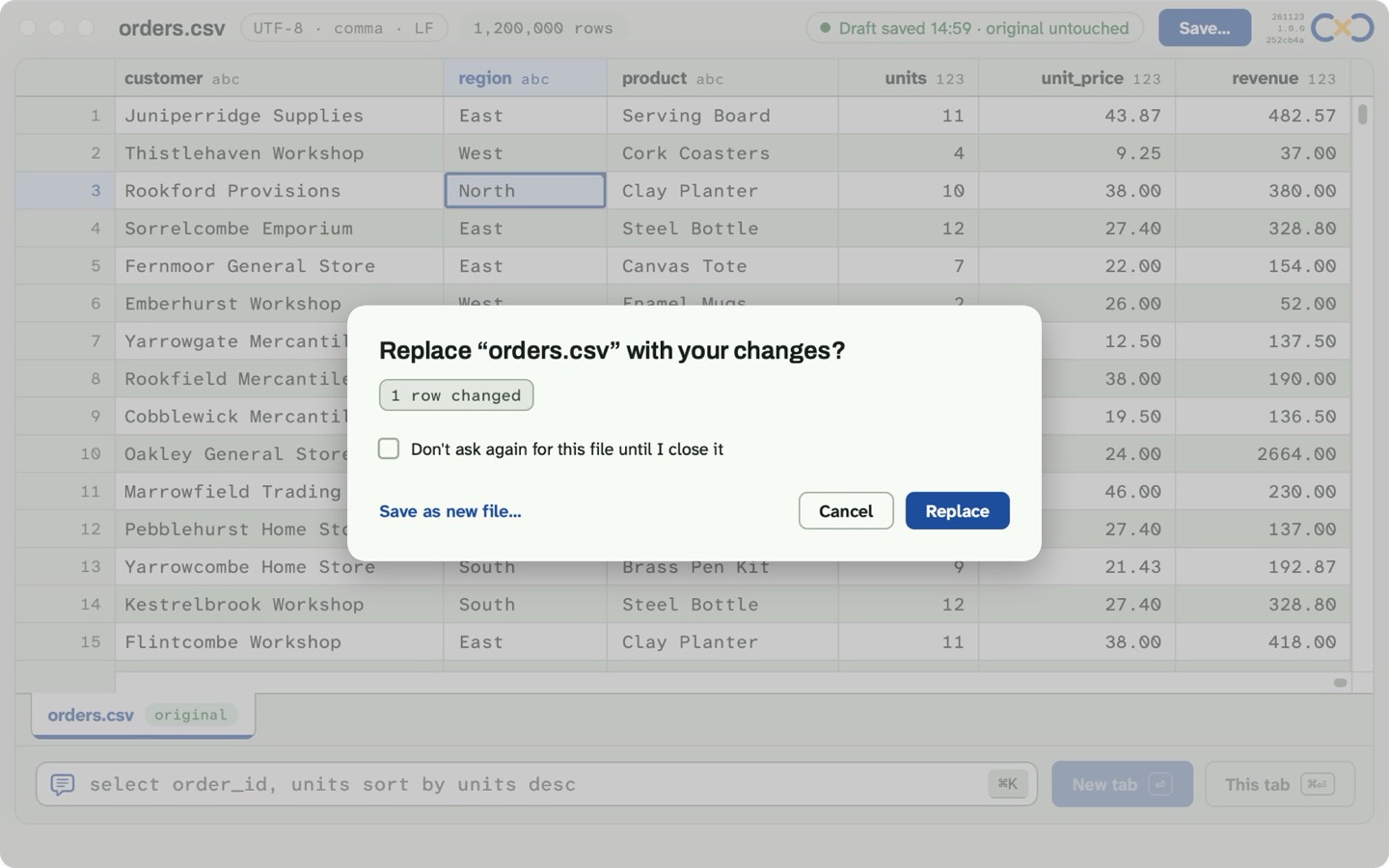
Excel writes every row again when you save, so dates and zeros you never touched come out different. CellxCell puts your edits in a draft. The file on disk stays as it was until you press ⌘S and choose Replace. Then CellxCell writes the rows you changed and copies the rest back byte for byte. A diff shows your edit and nothing else.

CellxCell asks: Replace orders.csv with your changes? One row changed, with Cancel, Replace and Save as new file

1,048,576 rows is where Excel stops

Is the file too big for Excel?

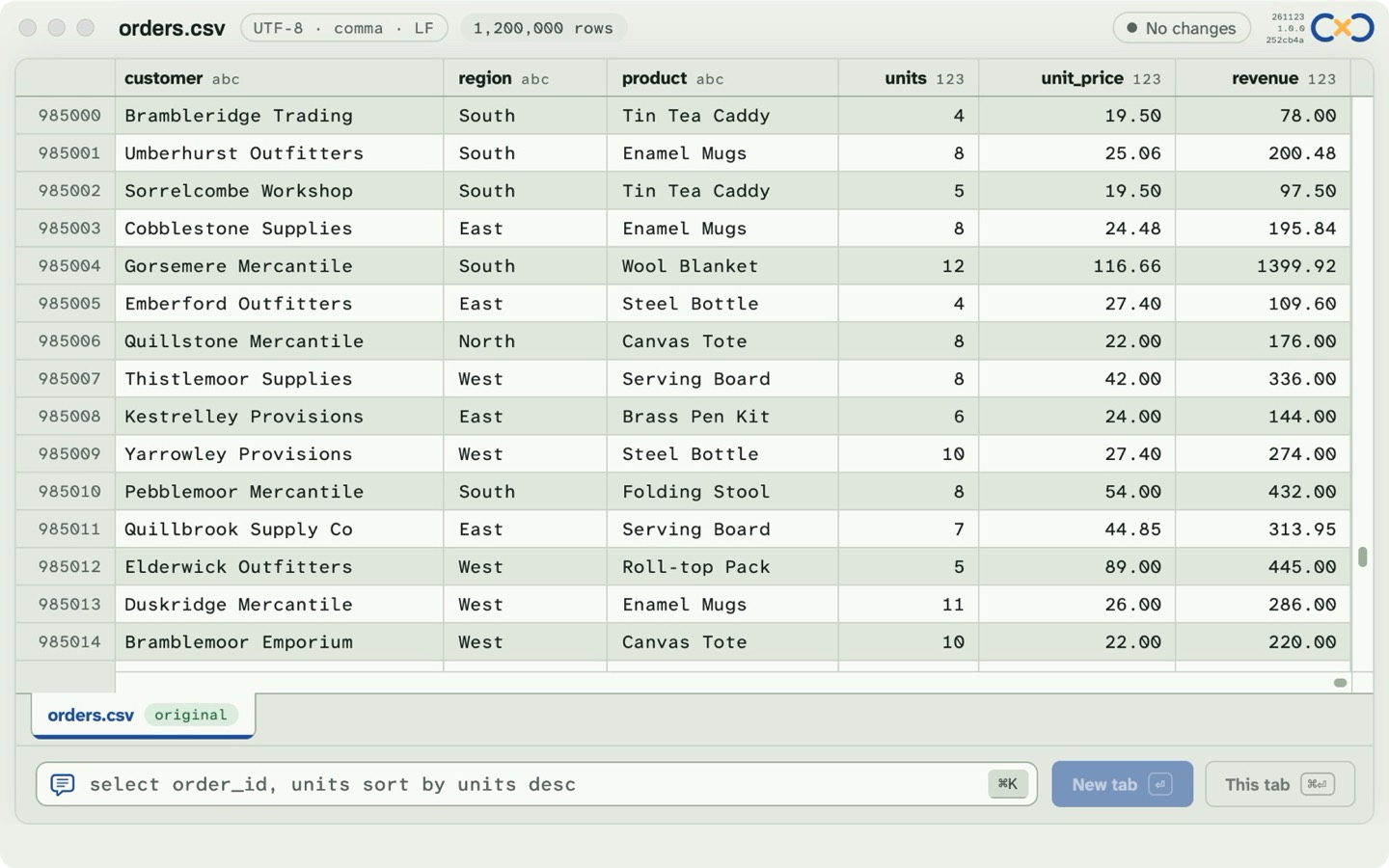
Excel stops at row 1,048,576 and leaves the rest of the file behind. On our test Mac, CellxCell opened a 100 MB export with 1.2 million rows in 31 milliseconds. Sorting every row took under a quarter of a second. Scroll from the first row to the last whenever you like.

CellxCell scrolled deep into a 1,200,000-row CSV, near row 985,000

0.5M views on forum questions about this

Need ten rows out of a million?

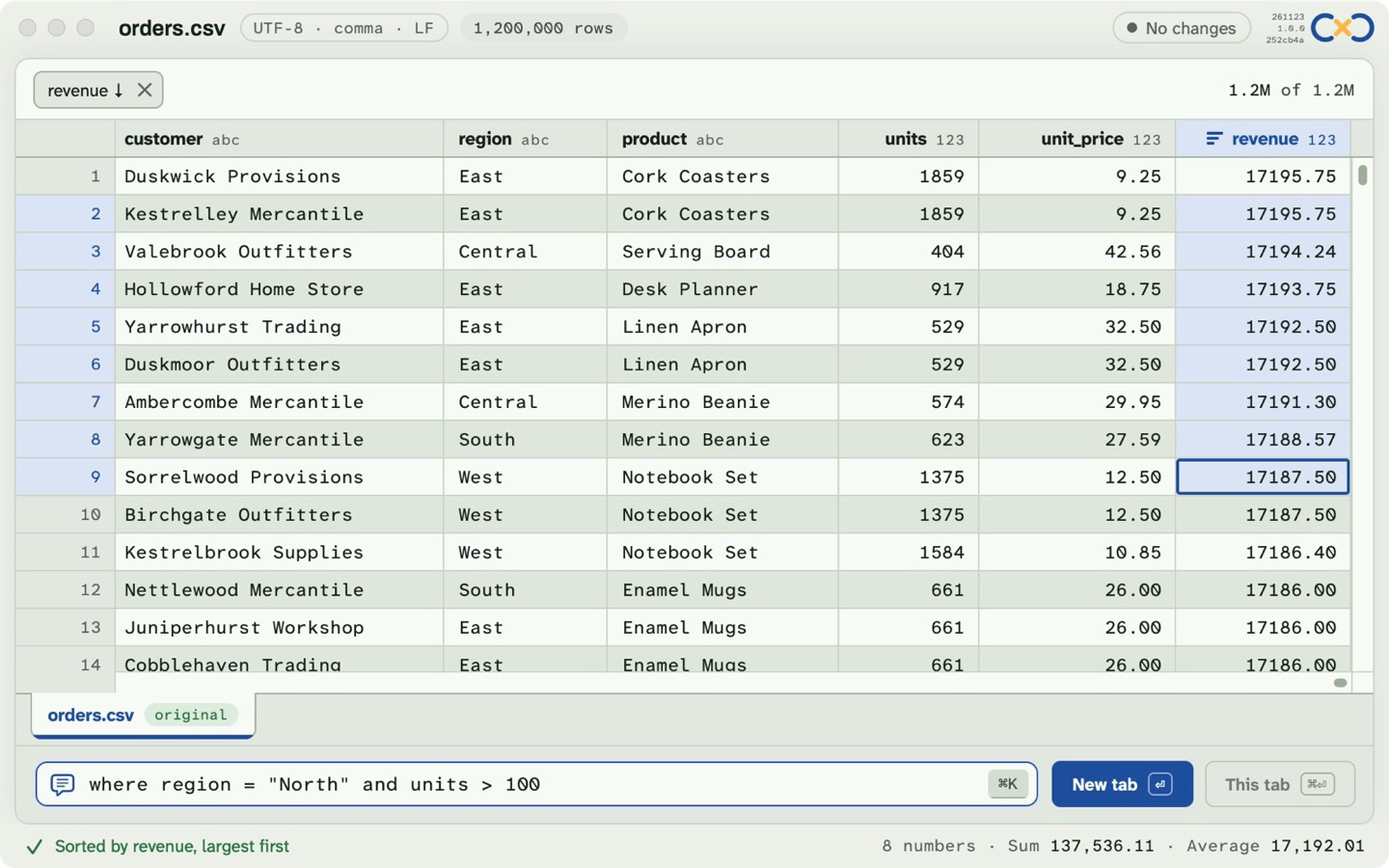
Press ⌘K and type what you're after, like where region = "North" and units > 100. Column names and values complete as you type. The matching rows open in a new tab that you can edit and save as a CSV of its own. Select a few numbers and the status bar adds them up.

A query typed in the CellxCell query bar, rows sorted by revenue, and the status bar showing the sum and average of eight selected cells

Try it on the CSV that broke last week. It's free.

Free · 5.0 MBDownload for Mac

Watch a 100 MB file open, sort and answer a query

35 seconds. Every frame is CellxCell running on a made-up orders file.

Also in 1.0

And the small things you reach for daily

Got a CSV waiting? Open it in CellxCell.

Free to download. No account to make, nothing to buy inside.

Free · 5.0 MBDownload for Mac
CellxCell app icon

Questions

CSV on a Mac, answered

  • How do I open a CSV file on a Mac without Excel?

    Download CellxCell from this page, open it and drag CxC to Applications. Then double-click the CSV or drop it on a CellxCell window. The file opens in columns with every value as the file wrote it. Nothing changes on disk until you save.

  • Why does my CSV open in one column?

    The file uses a separator your spreadsheet app doesn't expect, most often a semicolon or a tab. CellxCell detects comma, semicolon, tab and pipe by itself and shows the one it found in the title bar.

  • How do I keep leading zeros in a CSV?

    Open the file in CellxCell. A zip code such as 02134 stays 02134, and a 20-digit barcode keeps all 20 digits. When you save, untouched rows go back byte for byte.

  • How do I open a CSV with more than 1,048,576 rows?

    Excel stops at that row. CellxCell opens the whole file: in our tests, 1,200,000 rows and 100 MB in 31 milliseconds, ready to scroll and sort.

  • Will CellxCell change my file when I save?

    Only the rows you edited. Your edits wait in a draft until you press ⌘S and choose Replace, and every other row is copied back byte for byte. Save As writes a new file and leaves the original alone.

  • Can I filter a big CSV without Excel?

    Yes. Press ⌘K and type a query such as where region = "North" and units > 100, or plain words such as top 10 by amount. The result opens in a new tab and your file stays as it is.

  • Why did my dates change when I opened a CSV?

    Some spreadsheet apps rewrite a date such as 03/04/2025 in your Mac's own format, or swap the day and the month. CellxCell knows a date column when it sees one, but it shows each date exactly as the file writes it. 03/04/2025 stays 03/04/2025.

  • Which files can CellxCell open?

    CSV and TSV files with commas, semicolons, tabs or pipes between the values, in UTF-8, UTF-16 or Windows-1252. CellxCell 1.0 doesn't open .xlsx or .numbers files, so export those as CSV first.

  • Can I download CellxCell without the App Store?

    Yes. The button on this page downloads it straight from Redsprint as a disk image. Open it and drag CxC to Applications. When a new version is out, CellxCell tells you in its menu and in the status bar.

  • Is the download safe?

    Yes. Redsprint signs CellxCell with its Apple Developer ID, and Apple scans each build for malware before we publish it. This check is called notarisation, and it lets macOS open the app without a warning.

  • Is CellxCell free?

    Yes. There's nothing to buy inside the app and no account to make.

  • What does CellxCell send to Redsprint?

    An anonymous sign-in each time it starts. For 14 days after you install or update it, anonymous usage events too. They never hold file names, paths, cell contents or query text. The Privacy Policy lists each event.

  • Why does the menu bar say CxC?

    CxC is CellxCell's short name. The menu bar, the Dock and Finder use it.